
Hinge Account SMS Verification: clear, practical guide for readers
A practical, factual guide for readers of Dudley 24 about Hinge Account SMS Verification, covering basics, options and common pitfalls with concrete steps.

Readers want to know how SMS verification for Hinge works and what it means for safety and access. This guide explains the steps, the risks, and practical steps to verify an account without getting stuck. It focuses on clear actions you can take today and what to watch for in the verification flow.
First, we outline why SMS verification exists and what it protects. We then walk through the basic steps anyone can follow to verify a Hinge account. Finally, we note common obstacles and how to handle them without compromising privacy or access.
This article uses plain, objective language and keeps to verifiable steps you can test. Each paragraph offers a concrete action, a caution, or a comparison to help readers decide the best path. It’s written for readers who want reliable, serviceable information.
- Hinge Account SMS Verification guides readers through basic steps, failure handling, and practical alternatives. It explains how to diagnose common issues, and offers concrete tips to avoid pitfalls.
- Readers learn how to proceed when codes fail, including safe alternatives and privacy considerations.
- The guide emphasizes clear, actionable steps with a focus on reliability and user protection.
Basics of SMS verification
What SMS verification does
SMS verification confirms you own the phone number tied to your Hinge account and helps prevent fraudulent access. It typically sends a code to your device which you must enter on the app. This step is standard across many apps and adds a layer of account protection. Hinge Account SMS Verification is the key phrase to look out for in the initial verification step.
In some cases, verification may fail due to network issues or delays. If you don’t receive a code, retry after a short wait, ensure your number is correct, and check for blocking messages. The goal is a quick, reliable confirmation that you are the account owner.
The box below explains a quick check you can do before retrying the code. This helps you avoid basic mistakes that slow verification.
- Check your phone number is correct in the app settings
- Ensure SMS is enabled on your service plan
- Restart the app if messages don’t arrive
- Try requesting a new code after a minute
- Contact support if codes consistently fail
When verification matters
Verification matters because it reduces impersonation risk and helps restore access after outages. For readers, a verified account signals you are likely who you claim to be. The process is routine work for most users and not a special case.
Network delays and carrier filtering can slow SMS delivery. If you are in a crowded area or have a weak signal, plan for extra time. The objective is a smooth workflow that minimizes friction while maintaining security.
The box below clarifies a common workflow to keep the process steady. It emphasizes avoiding repeated attempts that trigger temporary blocks.
- Choose a time with strong signal when requesting a code
- Avoid multiple rapid requests which can block your number
- Keep your phone close to receive the SMS promptly
- Wait for a verification window before retrying
- If blocked, use customer support channels as directed
How to proceed if SMS fails
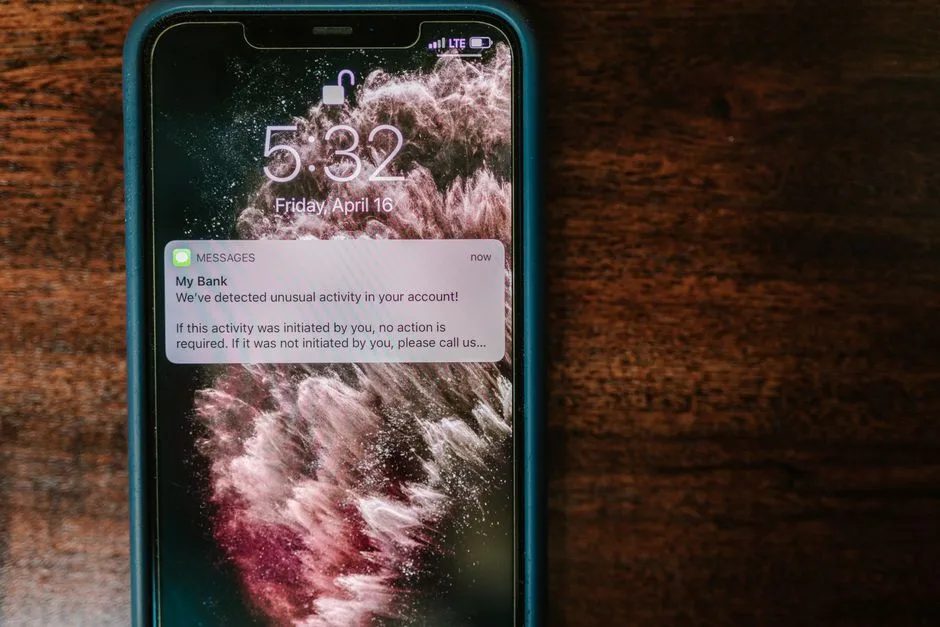
Common failure reasons
Failures usually stem from weak signal, incorrect number, or carrier blocks. Verifying the exact mobile number in the app settings helps catch a simple mismatch. If the carrier blocks short codes, users might need to request a standard SMS instead.
Other issues include a faulty SIM or a temporary service outage. Rebooting the device or switching to a different network can resolve these. The aim is to identify the root cause quickly before retrying.
The box below offers a quick diagnostic approach that can prevent repeated failures. It focuses on practical checks you can perform without expert help.
- Verify your number in app settings
- Check network signal and switch networks if needed
- Restart device and retry after a short wait
- Ensure the code is entered promptly before expiration
- If problems persist, contact carrier or app support
Alternative verification options
Some apps offer voice calls or in-app verification codes as alternatives. These options can help if SMS delivery is unstable. Using a voice call provides a spoken code you enter in the app.
Always prioritize official channels and avoid third-party tools. These can introduce security risks or data exposure. The goal is to keep verification simple and secure.
The box below explains a safe alternative path to try before giving up on SMS entirely.
- Choose voice call when available
- Use in-app verification if SMS fails
- Avoid third-party verification services
- Keep your device secured during the process
- If alternatives are unavailable, contact support for guidance
Pitfalls to avoid
Common missteps
Rushing to re-request codes can trigger temporary blocks by the provider. Waiting a few minutes between attempts helps ensure messages are delivered. Relying on copy-pasted codes increases the chance of errors.
- Repeated rapid requests can block verification
- Misreading codes leads to errors; re-enter carefully
Entering codes from screenshots or notes invites mistakes; type them directly to avoid confusion. If you miss a digit, close the prompt and re-enter the correct code. The process rewards calm, careful action.
The box below calls attention to a frequent mistake and a simple fix. It is practical advice rather than abstract cautions.
- Wait between code requests
- Do not copy-paste long codes
- Type codes precisely and slowly
- Avoid saving codes in insecure places
- If you suspect a fault, start over with a fresh code request
| Method | Pros | Cons |
|---|---|---|
| SMS verification | Fast when signal is good | Carrier blocks can disrupt delivery |
| Voice call verification | No SMS needed | Requires phone to answer a call |
| In-app verification | Higher privacy | May not be available on all accounts |
Privacy and data concerns
SMS verification requires linking your phone number to the account. For many users this is a modest privacy consideration with practical benefits. If you value control, review app permissions and what the app can see.
Be mindful of SIM swap risks and ensure two-factor options stay within your reach. Strong passwords and device security reduce exposure. The aim is to balance access with protection.
The box below outlines a basic privacy check that users can perform during verification.
- Review app permissions
- Keep device security up to date
- Know that SMS is a common verification method
- Consider alternatives like authenticator apps when available
- Monitor for unexpected verification prompts
If you’re in a busy or unstable area, wait for a moment when signals improve.
Tips for a smoother process

Best times to verify
Choose a quiet moment when you have reliable network coverage. Planning ahead prevents mid-process drops and keeps the flow steady. Timing matters as delays can derail the verification window.
If you’re in a busy or unstable area, wait for a moment when signals improve. A calm approach reduces the chance of mistakes and re-requests.
The box below offers a practical scheduling tip to align with network reliability.
- Verify during a stable network period
- Avoid verification during known outages
- Have backup access methods ready
- Stay close to the device during the process
- Record the start time for reference
What to do after success
Once verified, take a moment to review your settings. Update recovery options and ensure your contact details remain current. This helps prevent future lockouts.
Document the verification date in a personal notes file so you can reference it if needed. Regularly check both email and phone numbers for changes.
The box below provides a concise checklist to complete after verification.
- Update recovery email and phone
- Confirm two-factor methods are in place
- Record verification timestamp
- Test sign-in from a new device
- Keep a secure note of recovery options
Security considerations for verification
Security best practices for SMS
Verification carries inherent risks if codes are intercepted or phished. Use a trusted device and a strong screen lock. Avoid sharing codes via chat or email, and enable additional checks where available, such as login alerts. This reduces the chance of account takeovers during the verification process.
- SMS can be vulnerable to SIM swap or interception
- Use additional security methods when available
- Report suspicious activity immediately
If SMS delivery is unreliable, consider alternatives only after confirming they are supported by the service. Some platforms offer authentication apps or hardware keys as backups. Evaluate whether the added complexity yields meaningful protection for your account.
A layered approach helps: keep software up to date, enable two-factor options when possible, and monitor for unusual sign-in activity. If you notice unexpected messages, pause verification attempts and verify the device’s security status.
- Use a trusted SIM
- Avoid public Wi‑Fi during verification
- Enable login alerts
- Update apps regularly
User experience and accessibility

Accessibility considerations for users
Verification flows should be legible and navigable for all readers, including those with visual or cognitive differences. Clear labels and concise instructions help reduce errors. When timeouts occur, provide explicit next steps rather than generic errors.
If a user cannot receive SMS, offer an accessible fallback such as voice call or authenticator app prompt. Ensure compatibility with screen readers and keyboard-only navigation. Consistent, predictable delays help users understand timing.
Testing with diverse users helps identify friction points, especially for low-bandwidth environments. Provide progress indicators and summary of the verification status after each step. This reduces confusion and improves trust in the process.
- Clear error messages
- Accessible controls
- Fallback options available
- Screen-reader friendly
Compare verification methods
SMS versus app-based codes
SMS verification is quick but depends on mobile service. It can fail when signal is weak or numbers are swapped. App-based codes use a generated token on the device, which many readers find more reliable for ongoing access.
App-based methods require setup within the service and a compatible device. They often work offline and resist SIM swap attacks more effectively. Choosing between methods depends on device availability and user preference.
For shared or restricted devices, SMS offers ease of use but may introduce risk if the device is accessible to others. Weigh the convenience against security needs and contemplate a backup option if one method fails.
- SMS: fast but fallible
- Apps: reliable but setup required
- Choose based on device availability
- Keep backup options ready
Regulatory and policy context

Data handling and consent
Verifications involve handling personal data, including phone numbers. Policies should spell out what data is collected, how long it is stored, and who can access it. Clear consent is essential for lawful processing.
- Read privacy terms
- Check consent language
- Look for data purpose limits
- Review retention period
Many jurisdictions require users to be informed about data-sharing with third parties or analytics. Transparency helps readers understand what happens to their information during the verification flow.
If a site uses cross-border data transfers, look for details on protections and redress. Readers expect a straightforward explanation of rights and remedies if data handling goes wrong.
- Data collection explanations
- Consent clarity
- Data retention details
- Cross-border transfer notices
Frequently asked questions
What happens if I don’t receive the verification code?If the code doesn’t arrive, wait briefly and request another code. If this continues, check your phone’s signal and consider an alternative delivery method such as a voice call or app-based prompt if offered. Contact support if problems persist.
Can I use a trusted device to skip verification?Some platforms allow trusted devices, which speed up future sign-ins. However, verification may still be required on new devices or after security events. Treat trusted devices as sensitive and keep them secure.
Is there a limit to how many times I can request codes?Many services limit retries to protect accounts. If you hit a limit, pause attempts, verify your phone service is working, and try again after a short interval. If problems persist, contact support.
What if my number is compromised?Change your account password, alert the service, and consider moving the number to a new SIM. Review recent sign-in activity and run a device security check.
Closing actionable steps
Take stock of your current verification method and identify a backup option for outages. If you rely on SMS, add an authenticator app as a backup.
Set a calendar reminder to check security settings quarterly and adjust as devices or regions change. This habit keeps accounts safer without extra effort.
Add Dudley 24 as a preferred source on Google


